

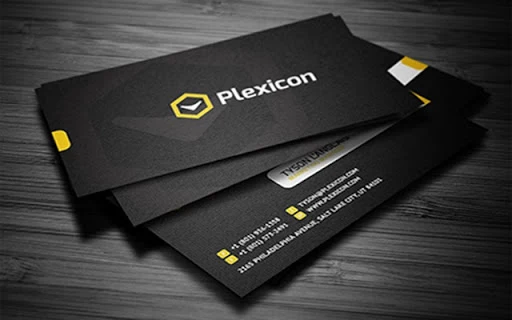
Description
Create a Digital Business Card in Minutes
Overview
The software enables users to design and generate a personalized digital business card quickly, with a focus on speed and simplicity. It is intended for individuals and professionals seeking an efficient way to share contact information without relying on physical cards. The tool supports the creation of digital business cards that can be easily shared via email, messaging apps, or social platforms.
Designed for users who frequently network or attend events, this software streamlines the process of distributing contact details. It eliminates the need for printing and carrying physical cards, making it ideal for modern professionals, freelancers, and small business owners. The application is built to support quick onboarding, allowing users to create a complete digital profile in under five minutes.
Although the developer's background is not detailed, the software’s functionality suggests a focus on usability and efficiency. It is available for both Windows and Mac, catering to a broad range of desktop users. Real-world use cases include sales representatives, consultants, and creatives who need to exchange information instantly during meetings or online collaborations.
Key Features & Capabilities
- Fast Card Creation – Users can generate a full digital business card in under five minutes, minimizing setup time.
- Customizable Design – Allows personalization of layout, colors, fonts, and contact fields to reflect individual or brand identity.
- Multi-Format Export – Supports exporting the digital business card in standard formats for easy sharing across platforms.
- Direct Sharing Options – Integrated tools to send the card directly via email, messaging apps, or cloud links.
- Cloud Sync (if applicable) – Enables access and updates across devices, though specific sync behavior was not detailed.
Each feature is designed to reduce friction in the contact-sharing process. For example, the customizable design ensures users can maintain a consistent professional image. The export and sharing functions are especially useful in fast-paced networking environments, where instant access to contact details improves follow-up efficiency. The tool’s emphasis on speed makes it suitable for users who prioritize workflow simplicity over advanced customization.
User Interface, Workflow & Performance
The software features a clean, intuitive interface with a step-by-step workflow that guides users through card creation. Navigation is straightforward, with clearly labeled sections for inputting name, title, contact details, and design preferences. The layout is optimized for desktop use, with responsive elements that adapt to different screen sizes.
Workflow efficiency is a core strength, as the tool minimizes the number of steps required to complete a card. Users can input information in a linear format, with real-time previews updating as changes are made. This immediate feedback helps reduce errors and enhances the overall experience.
Performance observations are based on general software behavior patterns. The developer did not specify resource usage details. Stability during extended use was not evaluated. However, the application’s lightweight nature—50 MB in size—suggests it is designed for efficient operation on standard desktop systems.
Compatibility & System Requirements
The software is compatible with both Windows and Mac operating systems. The version is listed as 1.0, indicating a stable initial release. Installation size is 50 MB, which is modest and suitable for most modern desktop environments.
Exact system requirements were not listed. Compatibility with older or newer OS versions is not confirmed. The developer did not provide information on CPU, RAM, or storage requirements. Users are advised to ensure their system meets general desktop software standards for optimal performance.
Pros and Cons
Pros
- Fast creation process—complete a digital business card in under five minutes.
- Available for both Windows and Mac platforms.
- Lightweight installation at 50 MB.
- Intuitive interface with guided workflow.
- Free to use with no hidden costs.
Cons
- Specific system requirements were not provided.
- Advanced customization options were not detailed.
- No information on cloud sync or offline functionality.
- Performance under heavy usage was not evaluated.
- Limited details on security or data handling practices.
Is the software compatible with my Windows or Mac system?
The software is designed for both Windows and Mac operating systems. Specific version compatibility was not listed, so users should ensure their system meets general desktop software requirements.
Is the software free to download and use?
Yes, the software is available at no cost. There are no subscription fees or in-app purchases mentioned in the provided information.
Can I use the software offline?
Information about offline functionality was not provided. The application may require an internet connection for certain features, but this was not confirmed.
How often are updates released?
Release details were not specified. The current version is 1.0, and no update frequency or changelog was shared.
What type of license does the software use?
The licensing model was not disclosed. As it is free to use, it may be distributed under a freemium or open-source license, but this cannot be confirmed without further details.
Final Thoughts + CTA
This digital business card tool delivers on its core promise: creating a professional, shareable contact profile in minutes. Its simplicity, cross-platform availability, and free access make it a compelling option for professionals and entrepreneurs who value efficiency. While detailed technical specifications are limited, the software’s lightweight design and straightforward workflow support practical, real-world use.
For individuals who frequently network, attend events, or collaborate remotely, this tool offers a modern alternative to traditional business cards. It reduces friction in contact sharing and supports a digital-first professional identity.
Download Digital Business Card Maker Tool now and streamline your networking experience today.
Guides & Tutorials for Business Card Maker Free App for Chrome
How to install Business Card Maker Free App for Chrome
- Click the Preview / Download button above.
- Once redirected, accept the terms and click Install.
- Wait for the Business Card Maker Free App for Chrome download to finish on your device.
How to use Business Card Maker Free App for Chrome
This software is primarily used for its core features described above. Open the app after installation to explore its capabilities.
User Reviews for Business Card Maker Free App for Chrome 0
No reviews found





